Sign-up and permission requests drive users away: where the funnel narrows
Why users abandon sign-up in a mobile app, how extra fields, SMS codes, and permission requests get in the way of the first action, and how to find the weak spots in your funnel.
The problem appears
A user installs the app, opens it, gets interested in the offer — and leaves without ever using the product. Perhaps they didn't understand why they needed to create an account, didn't want to fill out a long form, or dismissed yet another system permission dialog. For a business, this means that some potential customers are lost before they get any value from the product.
Sign-up and permission requests are among the most sensitive points in the mobile funnel. Here the team asks a person to spend time, share personal data, and make several decisions before they see any result. Every extra step gives them a reason to stop. So the goal is not to make sign-up as short as possible at any cost, but to keep only the necessary actions and explain why they are needed.
Why users leave before the first value moment
Imagine a workout planning app. A person downloads it to pick exercises and build a training plan. But instead of choosing workouts, they see several welcome screens, a form asking for their name and date of birth, phone number registration, SMS code entry, questions about their goals and fitness level, and then a request to send notifications.
Each individual step may seem reasonable to the team. Date of birth is needed for personalization, the phone number for logging in, the questions help select a program, and notifications remind people about workouts. The problem arises when all of this is required before the user has received any value at all.
They don't yet know whether the app suits them, but they already have to spend time and entrust it with their data. If there is an alternative product with a simpler sign-in nearby, they have a reason to try it instead.
What matters here is not only the number of screens but also the effort each one requires. Entering a password, waiting for an SMS, looking for the code in messages, requesting the code again after an error, and filling in optional fields are actions of different complexity. Even a short form can be inconvenient if it requires too much manual input or doesn't explain what to do next.
Where exactly the funnel narrows
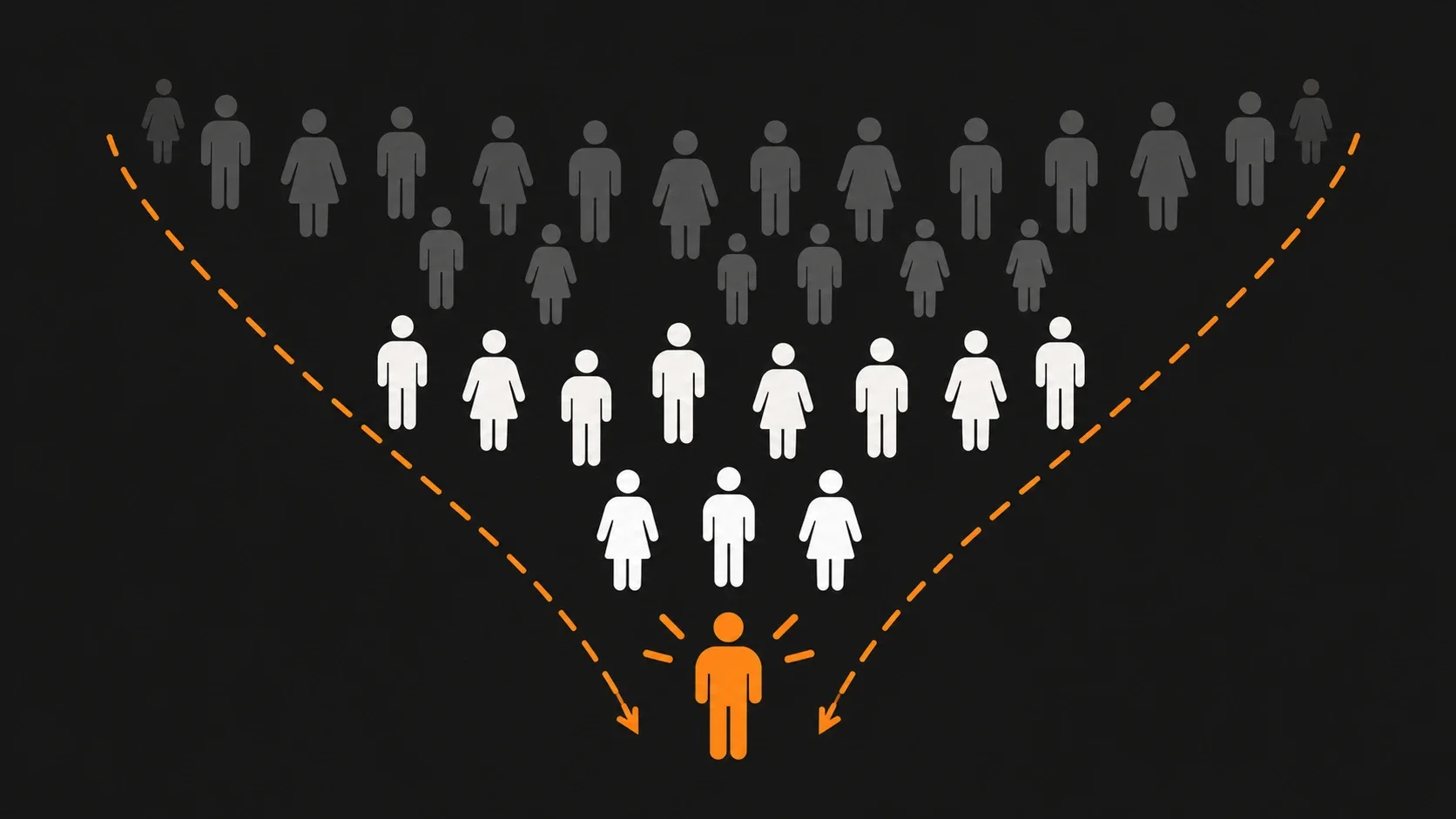
A sign-up funnel is the sequence of steps a user goes through from opening the app to the key action. For a fitness service, for example, it might look like this:
This diagram shows that fewer people reach the first value moment than open the app. But the illustration alone doesn't show at which step the problem occurs. For that you need real analytics data.
The first bottleneck is the transition to sign-up. If a person immediately sees mandatory account creation, they may decide they aren't ready to continue yet — especially if they only want to look at the app's features or check whether the service suits them. In that case, it's worth checking whether you can let them explore the product without signing up.
The second is confirming a phone number or email. The SMS code may not arrive, the email may land in spam, and the user may have to switch between apps and lose context. Sometimes a person requests a new code several times, can't tell whether the previous one has expired, or can't fix a typo in the number without going through the form again. If confirmation is truly necessary, the interface should show a clear status, let people correct their data, and explain when they can request the code again.
The third is a long onboarding questionnaire. The team wants to learn as much as possible about the user in order to personalize the experience, segment the audience, or prepare an offer. But not every answer is needed before the first action. If the data can be collected later, it's better not to turn an introduction to the product into a mandatory interview.
The fourth is system permission requests. The app asks for access to location, notifications, contacts, or photos before the user understands why it's needed. As a result, the request is perceived as an additional obstacle or as a dubious attempt to get personal data.
The fifth is the lack of a clear next step. The person registered successfully, but then landed on an empty screen, didn't know where to tap, or saw another long list of settings. Formally, sign-up is complete, but the user never reached the key action. That's why it's important to measure not only the conversion to account creation but also the transition to the first value moment.
What data is really needed at sign-up
Before shortening the form, it's worth dividing the data into three groups.
This is not a universal scheme: whether data is necessary depends on the product, security requirements, and legislation. For example, a financial service can't handle sign-up the same way as an article-reading app. But even where identity verification is mandatory, you can make the process clearer — explain the requirements, show progress, and avoid asking again for data already entered.
A good question for every field: what will break if we don't ask for this now? If the answer boils down to the team finding it easier to analyze the audience, that's not yet a reason to delay the user's first useful experience.
When it's better to postpone sign-up
Deferred registration is an approach in which the user first gets to know the product or completes part of the core scenario, and creates an account only when it's truly needed.
For example, a language-learning service can let users complete the first exercise without signing up, and then suggest creating an account to save their progress. The user has already understood the learning format and sees what is worth spending time on.
For different products, this can look different:
- Content apps: let people browse the available materials before creating an account.
- Booking services: let people choose a service and time, and request contact details before confirmation.
- Fitness apps: show a sample workout, then offer to save a personalized plan.
- Services that store data: let people start working, but explain when sign-up will be needed for syncing or account recovery.
However, it isn't always worth postponing sign-up. If the product must store personal data, provide secure access, or perform actions on behalf of a specific person, an account may be needed earlier. The point is not to remove a mandatory step, but to check whether it really can't be moved.
How to request permissions properly
A system permission dialog for notifications or location is not an ordinary app screen. It is controlled by the operating system, and the user decides whether to grant access. So it's important to choose a moment when the need for the permission is already clear.
Instead of requesting location access right after launch, you can first offer to find the nearest pickup points. When the person taps "Find nearby," the app explains that location will help show the closest options, and only then triggers the system permission dialog.
Before the system permission dialog, you can show a short explanatory screen — often called a pre-permission screen. It should explain the specific benefit of the permission and let the user decline or choose an alternative.
The same principle applies to notifications. First, the user should understand which messages they will receive and how they are useful. The request can appear after the person sets a reminder, places an order, or takes another suitable action. Don't promise that the permission will necessarily improve retention: that depends on the value of the notifications, their frequency, and the needs of the audience.
It's also important to plan an alternative scenario. If the person denies access, the app should not become a dead end when the permission isn't critical for the core function. You can offer manual city selection, explain the limitations, or let them enable access later in settings.
How to find where the funnel loses users
There's no need to redo the whole sign-up right away. First, determine at which step people stop moving forward, and check why that happens.
- Break sign-up into separate events. Record opening the app, starting sign-up, submitting the form, requesting and confirming the code, completing the onboarding questionnaire, showing the system permission, granting or denying it, and the first value moment. Event names and the conditions for logging them should be the same on all platforms if you compare iOS and Android.
- Calculate the conversion between steps. For example, if 1,000 users started sign-up and 600 completed it, the conversion of that stage is 60%. This is an illustrative calculation, not a benchmark for mobile products. You need to analyze your own app's actual data. When comparing stages, use identical time windows and keep in mind that some users may complete the action with a delay.
- Watch user session recordings. They help you see where a person goes back, taps a button several times, spends a long time looking for the right field, or doesn't understand an error message. Analyze recordings in compliance with privacy requirements and don't collect unnecessary personal data.
- Run short usability tests. Ask people similar to your target audience to go through sign-up and explain what they understand at each step. Don't hint where to tap. Even a few observed sessions can reveal problems the team doesn't notice because they're used to their own interface. But such a test helps find hypotheses rather than precisely estimate how often a problem occurs across the whole audience.
- Change one significant factor at a time and check the result. For example, compare mandatory sign-up at the start with access to the first feature without an account. Or test whether behavior changes if the location explanation appears right before the system permission dialog. Where possible, use A/B testing, defining the primary metric and constraints in advance: conversion should not grow at the cost of security, data quality, or retention.
The main metric here is not the number of registered accounts in itself, but the share of users who reach the first action they installed the app for. It's also worth tracking sign-up completion, errors, permission denials, and time to value separately. This shows whether a change improves the whole scenario, not just one part of it.
What to do first
If sign-up seems too long, start not with redesigning screens but with checking whether they are necessary. Remove fields you can do without at the start. Move personalization to the moment when it actually affects the outcome. Explain the purpose of permissions before the system permission dialog. Plan for error recovery and for continuing the scenario without optional access.
But don't strive to make the path short at any cost. Sometimes an extra step helps avoid a mistake, protect an account, or choose a truly suitable solution. The criterion is simple: every step should give the user a clear benefit or solve a necessary task of the product.
If you don't know why people abandon sign-up, start with an audit of the funnel and the first user scenario. The results will show what to change in the interface, which data to move to later, and which hypotheses to test first.
Not sure what the problem is?
Write to us "I want to check my funnel," and we'll walk through the first steps of your app or service for free to suggest how to strengthen the product and increase conversion.